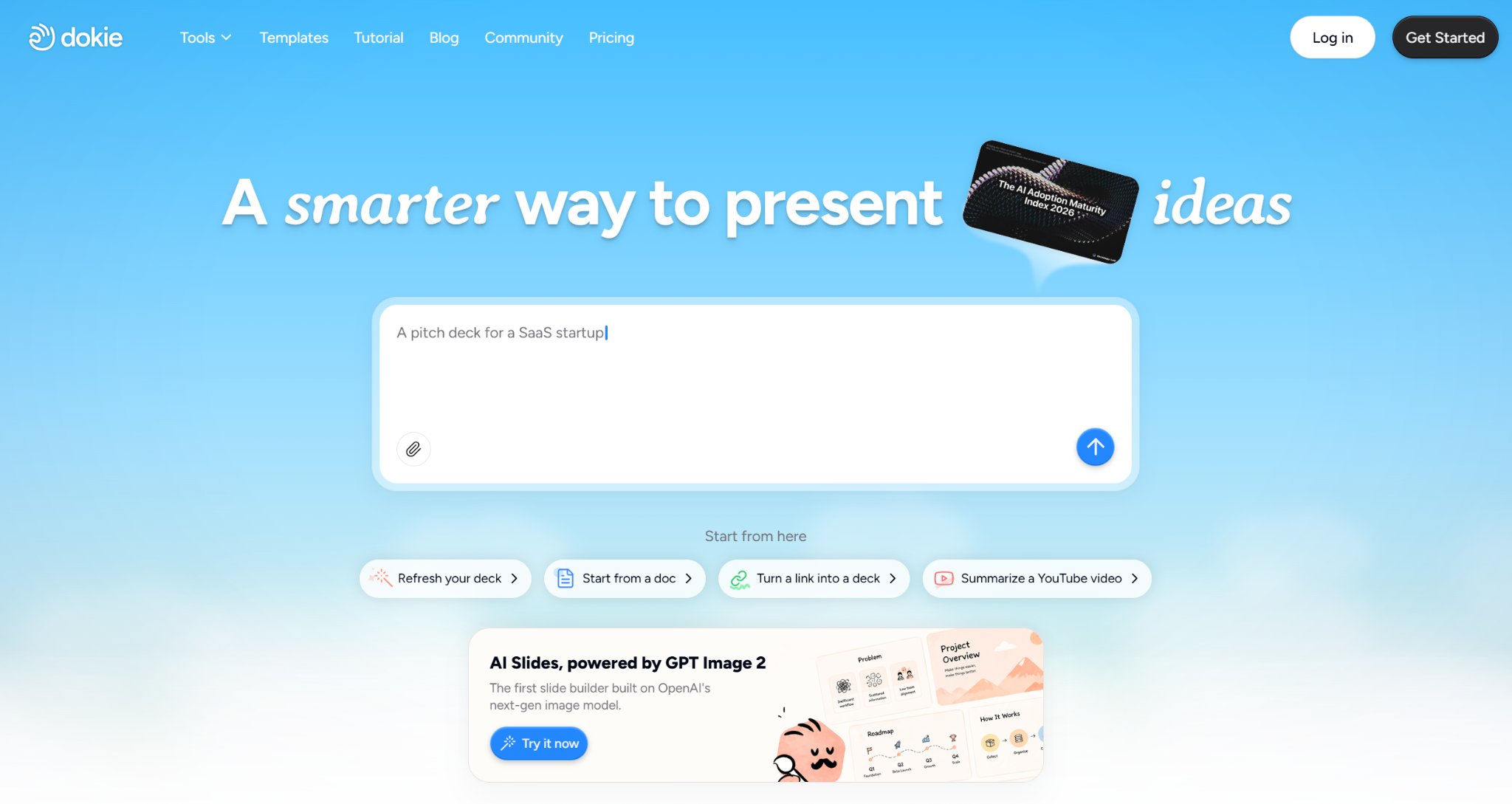
AI presentation tools can save a lot of time. They help users turn a topic, prompt, document, or rough idea into a full slide deck.
But many AI presentation makers still have one obvious weakness: the images are not good enough. Some visuals look generic. Some do not match the slide content. Some make the deck feel like a quick draft instead of a presentation that is ready to share.
Dokie AI improves this experience with GPT Image 2 support. This upgrade gives users better image generation inside the presentation workflow, helping slides look more complete, more relevant, and more professional.
In this Dokie AI review, we will look at how GPT Image 2 improves the product, what Dokie AI is best for, and why it is useful for business, education, marketing, and startup presentations.
Dokie AI is an AI presentation maker that helps users create PowerPoint-style slides from prompts, notes, documents, and existing content.
It is designed for people who need practical presentations, not just beautiful slide images. Users can create business reports, pitch decks, marketing plans, education slides, client proposals, product presentations, training materials, and technology decks.
The main value of Dokie AI is that it helps users create a strong first draft quickly. Instead of starting with a blank PPT, users can generate a structured deck and then edit it based on their real needs.
This makes Dokie AI useful for anyone who creates presentations often and wants to save time on outline planning, content writing, slide layout, and visual design.
The biggest highlight of Dokie AI is its support for GPT Image 2.
This matters because image quality can change the whole feeling of a presentation. A slide with weak visuals can make the deck look unfinished, even if the content is useful. A slide with strong visuals can make the message clearer and more engaging.
With GPT Image 2, Dokie AI can generate images that look more polished and better connected to the slide topic. The visuals feel less random and more suitable for professional presentations.
For example, if you are creating a marketing strategy deck, the images can better match campaign planning, audience analysis, and growth ideas. If you are creating a technology presentation, the visuals can better fit AI, software, automation, or product workflow topics. If you are creating an education deck, the images can better support the learning content.
This makes the final presentation feel more complete.
One of the main benefits of GPT Image 2 is better visual relevance.
In many AI-generated decks, images are only loosely related to the slide. A slide about business growth may show a random office scene. A slide about product workflow may show a vague technology background. These visuals do not really help the audience understand the message.
Dokie AI’s GPT Image 2 support improves this problem. The generated images can better match the slide context, making each slide feel more intentional.
This is useful for many presentation types:
Business reports need visuals that support insights and decisions.
Marketing decks need visuals that match campaigns, channels, and audiences.
Pitch decks need visuals that help explain the product and market opportunity.
Education slides need visuals that make the topic easier to understand.
Product decks need visuals that support features, workflows, and use cases.
When the image supports the message, the whole slide becomes stronger.
GPT Image 2 also improves the overall quality of generated images.
The visuals look more detailed, cleaner, and more presentation-ready. This helps users reduce the time they spend replacing images, searching for stock visuals, or adjusting slide graphics manually.
For users who need to create slides quickly, this is a big advantage. The first draft already looks better, so the editing process becomes easier.
This is especially important for client-facing decks, investor presentations, business reports, and marketing proposals. These presentations need to look professional enough to share with others.
A common problem with AI-generated presentations is inconsistent style.
One slide may look modern. Another may look like a stock photo. Another may use a totally different visual tone. This makes the deck feel messy.
Dokie AI’s support for GPT Image 2 helps create a more consistent visual experience. The images can better match the topic, tone, and style of the deck.
This makes the presentation feel more unified from beginning to end.
Consistency is important because a good PPT should feel like one complete story, not a collection of unrelated slides.
Dokie AI is not only about better visuals. It also helps users create better presentation structure.
A good deck needs a clear flow. It should guide the audience from the main topic to the final takeaway.
For example, a business report may include:
Executive summary
Key metrics
Main findings
Challenges
Recommendations
Next steps
A pitch deck may include:
Problem
Solution
Product
Market
Business model
Traction
Team
Ask
A marketing plan may include:
Goal
Audience
Channel strategy
Content plan
Budget
Timeline
KPIs
Dokie AI helps users build this kind of structure faster. This is important because a presentation with good images but weak logic is still hard to present.
The combination of better structure and better visuals makes Dokie AI more useful for real PPT work.
Dokie AI is especially useful for business presentations.
Business users usually do not need slides that are only creative or decorative. They need decks that are clear, structured, editable, and ready for meetings.
Dokie AI can help create weekly reports, monthly reviews, strategy decks, product updates, client proposals, sales decks, pitch decks, and marketing plans.
With GPT Image 2 support, these decks can also look much better visually. This makes Dokie AI a good choice for users who want presentations that are both practical and polished.
Dokie AI also provides many PPT templates for different use cases. These include Business, Education, Marketing, Medical, Technology, Pitch Deck, About Me, and Infographics.
These templates help users choose the right style for the right presentation. A business report, a medical training deck, a startup pitch deck, and a student project should not all look the same.
Dokie AI also offers free PPT tools such as PDF to PPT, Word to PPT, Text to PPT, Excel to PPT, JPG to PPT, PNG to PPT, HTML to PPT, and DOC to PPT.
These tools are useful when your presentation starts from an existing file. For example, you can turn a PDF report, Word document, spreadsheet, image, or HTML page into a PPT workflow faster.
Dokie AI helps users create presentations faster. It can turn rough ideas, prompts, notes, or documents into a structured slide draft.
It focuses on presentation logic, which makes the output easier to edit and present.
Its GPT Image 2 support makes the visuals much better. The images look more relevant, more polished, and more consistent across the deck.
It also offers useful PPT templates and free PPT tools, which makes it practical for many different workflows.
Dokie AI still needs human review.
Like any AI tool, the generated content should be checked before being used in an important meeting or client presentation. Users should review the facts, wording, numbers, slide order, and final design.
For high-stakes decks, users may still need to add real data, brand assets, product screenshots, and final design polish.
The result also depends on the input. A clear and specific prompt will usually create a better deck than a vague one.
Dokie AI is useful for people who create presentations often.
Office workers can use it for reports, meeting decks, and internal updates.
Marketers can use it for campaign reports, SEO summaries, launch plans, and strategy decks.
Founders can use it for pitch decks, investor updates, product decks, and business proposals.
Teachers and students can use it for lessons, class projects, research presentations, and training slides.
Consultants and agencies can use it for client proposals, audit reports, and strategy presentations.
Product and technology teams can use it for roadmaps, product updates, technical explainers, and SaaS presentations.
Dokie AI is a strong AI PPT maker for users who want faster and better presentation creation.
Its support for GPT Image 2 is one of its biggest advantages. The generated visuals look much better than typical AI slide images. They are more relevant to the slide topic, more consistent across the deck, and more suitable for professional use.
At the same time, Dokie AI focuses on structure, which is important for real presentation work. A good deck should not only look attractive. It should also be easy to understand, edit, and present.
For business users, marketers, founders, teachers, students, consultants, and teams that create slides often, Dokie AI is worth trying.
Dokie AI is an AI PPT maker that helps users create editable PowerPoint-style presentations from prompts, notes, documents, and existing content.
Yes. Dokie AI supports GPT Image 2, which improves the quality, relevance, and consistency of generated images in presentations.
GPT Image 2 helps create better slide visuals. The images look more detailed, more relevant to the topic, and more suitable for professional presentations.
Yes. Dokie AI is useful for business reports, strategy decks, client proposals, marketing plans, product presentations, and pitch decks.
Yes. Dokie AI offers PPT templates for Business, Education, Marketing, Medical, Technology, Pitch Deck, About Me, and Infographics.