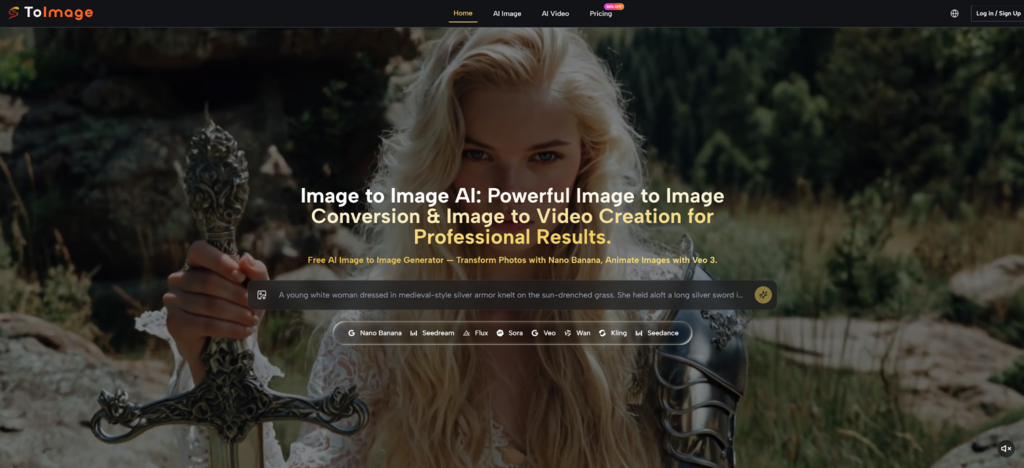
Many creators struggle with the unpredictable nature of generative AI, often spending hours trying to describe a vision that never quite materializes on the screen. This disconnect between a conceptual idea and the final output can lead to wasted resources and creative fatigue in professional environments. By leveraging Image to Image technology, users can now bridge this gap using existing visual references to anchor the AI's creative process, ensuring that the final result maintains structural integrity while exploring new artistic horizons.
The shift toward reference-based generation marks a significant turning point in the industry. Instead of relying solely on complex text strings, the ability to provide a visual foundation allows for a more intuitive and controlled creative workflow. In my observation, this approach significantly reduces the trial-and-error phase that usually accompanies text-to-image tools, offering a more stable path for designers, marketers, and content creators to realize their specific visual goals.
The technical foundation of this platform rests on its ability to analyze the spatial geometry and color distribution of an uploaded image. When a user provides a source photo, the underlying models—such as Nano Banana or Flux—do not simply "copy" the image. Instead, they interpret the underlying intent, preserving the placement of subjects and the overall lighting while applying the stylistic transformations requested in the prompt. This dual-input system ensures that the output is both novel and familiar.
In my testing, the platform demonstrates a sophisticated understanding of context. For instance, if you upload a portrait and ask for a Renaissance style, the AI recognizes facial proportions and maintains character identity while adjusting the brushwork and color palette to match the historical period. This level of control is particularly useful for projects requiring high consistency, such as character design or brand-specific visual assets where maintaining a recognizable silhouette is mandatory.
A key aspect of professional utility is the flexibility of output quality. The platform allows users to choose between various resolutions, including 1K, 2K, and 4K options. This is essential for creators who might need a quick 1K preview for social media brainstorming but require a high-fidelity 4K render for print or high-end digital marketing. The multi-resolution capability ensures that the tool fits into different stages of the production pipeline without requiring external upscaling software.
One of the more advanced features observed is the support for up to four reference images simultaneously. This functionality is designed to solve the common problem of "style drift." By providing multiple angles of a character or different examples of a specific brand aesthetic, the AI can synthesize a more accurate representation of the desired look. In my experience, using multiple references leads to a much more stable output when trying to maintain character continuity across a series of images.
The platform integrates several distinct models, each optimized for specific tasks. Choosing the right model is critical for achieving the best results, as the underlying architecture of each impacts the final aesthetic and processing time.
Each of these models represents a different approach to the image-to-image problem. While Nano Banana 2 focuses on making things look as real as possible, Seedream is clearly built for those who need to generate a hundred ideas in an hour. Understanding these nuances allows users to match the tool to the specific demands of their project.
Flux Kontext introduces a layer of precision that moves beyond general style transfer. It allows for object-level changes, meaning you can modify specific parts of an image—like changing the text on a sign or the color of a specific piece of clothing—without altering the rest of the composition. This surgical approach to editing is a significant upgrade over traditional global transformations, providing the kind of control usually reserved for manual photo editing software.
Image to Image AI workflow is designed to be streamlined, focusing on reducing the technical barrier for new users while providing depth for professionals.
Step 1: Upload and Reference Configuration
Begin by selecting the primary model and uploading your source image. If consistency is the priority, you may upload up to four reference photos to guide the AI's understanding of style and character.
Step 2: Define Transformation and Style Parameters
Enter a descriptive prompt detailing the changes you wish to see. This includes specifying the desired art style, lighting conditions, and any specific elements you want the AI to emphasize or replace.
Step 3: Resolution Selection and Final Generation
Choose your desired output resolution (from 1K up to 4K) and initiate the generation. The AI will process the inputs and provide a set of variations based on the intersection of your images and text instructions.
Beyond static imagery, the platform addresses the growing demand for short-form video content. By utilizing models like Veo 3 or Sora 2, a single static image can be converted into a cinematic clip. This is not just a simple pan-and-zoom effect; the AI calculates natural motion physics, such as the way hair moves in the wind or the way shadows shift as a light source rotates.
In my observation, the inclusion of native audio generation in Veo 3 is a particularly interesting development. It attempts to synchronize ambient sounds and sound effects with the visual motion created. While the results can sometimes require multiple attempts to get the perfect timing, the potential for creating complete social media assets from a single photo is clear. This capability allows for a more cohesive storytelling approach, especially for marketing campaigns that need to bridge the gap between static ads and video content.
It is important to acknowledge that AI generation is not always a one-click solution. The quality of the output is heavily dependent on the clarity of the initial reference image and the precision of the text prompt. In some instances, the AI may misinterpret complex overlapping objects or struggle with very specific technical details. Users should expect to iterate on their prompts and perhaps try different models to find the perfect balance for their specific vision.
The versatility of the style transfer tool allows for radical reimagining of assets. A standard architectural photograph can be transformed into a watercolor painting for a conceptual presentation, or a simple product shot can be placed in a high-fashion, hyper-realistic environment. This flexibility is what makes the technology a valuable partner in the creative process, acting as a force multiplier for individual artists and large-scale marketing teams alike.